Tim Hortons Gift Card Balance Check
Tim Hortons
Gift Card
6044 1234 5678 9012
PIN: 12345678
No Expiry
This guide does not collect your gift card number or PIN. Always enter private card details only through official Tim Hortons channels.
Quick Answer
Open the Tim Hortons app, tap Scan, then tap the payment methods icon in the top-right corner — your balance shows under “Saved payment methods.” No app? Call 1-866-TIMCARD (1-866-846-2273) or ask any cashier at a participating Tim Hortons. No purchase needed either way. Your balance also prints at the bottom of every receipt after you pay with the card.
Compare Tim Hortons Gift Card Balance Check Methods
| Method | What You Need | Speed | Best For |
|---|---|---|---|
| Online Website | 16-Digit Card Number & 8-Digit PIN | Instant | Checking physical cards quickly |
| Tim Hortons App | Tims Account & Linked Card | Instant | Tims Rewards members and digital users |
| Phone Call | Card Number, PIN & Phone | 2-3 Minutes | When you don't have internet access |
| In-Store Cashier | Physical Card or App Barcode | Varies by line | Finding out right before you order |
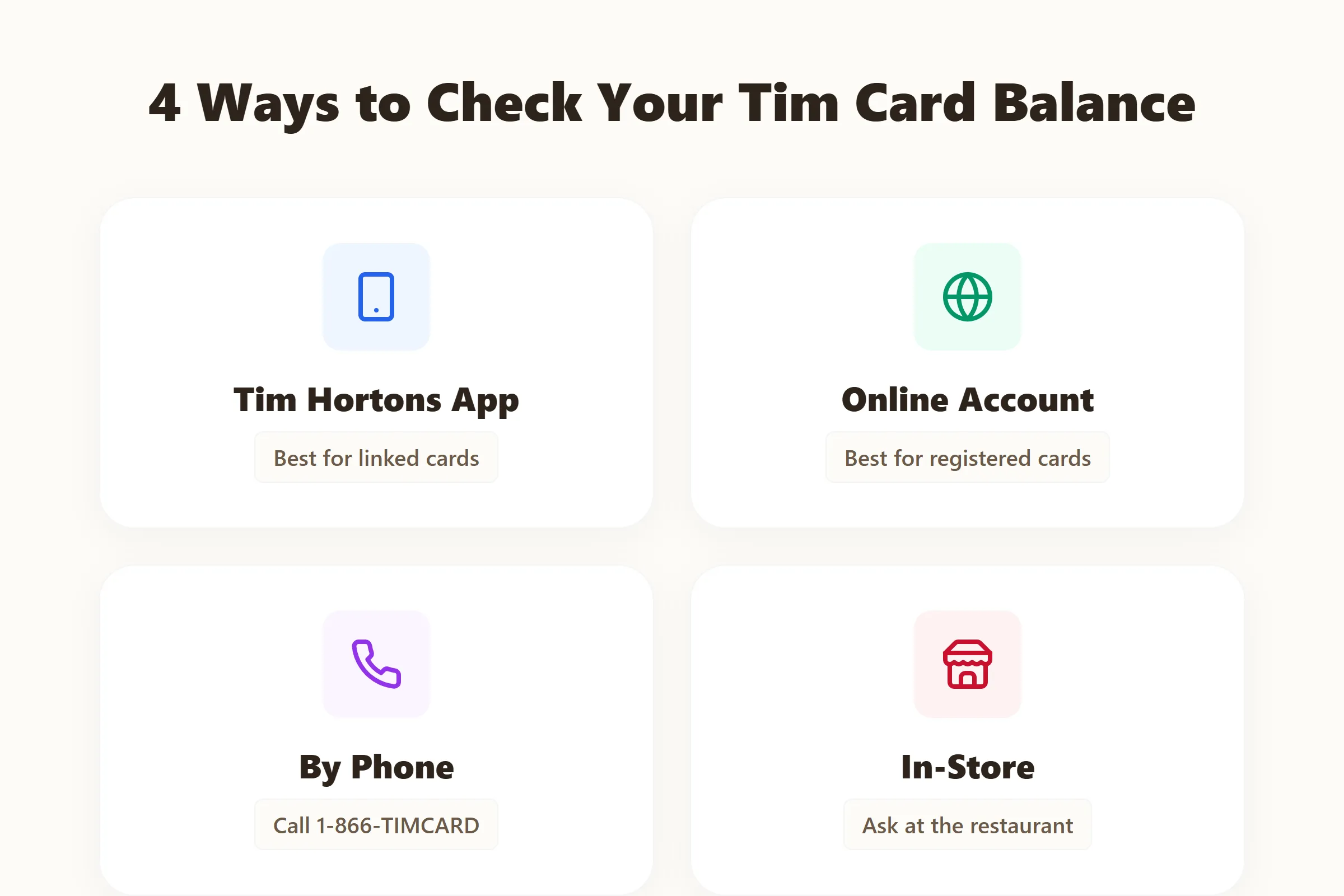
How to Check Tim Hortons Gift Card Balance
Got a gift card and aren't sure how many double-doubles it'll buy? You have a few easy options. Here's exactly how to check your balance using the app, the website, the phone line, or at your local restaurant.
Check Balance on the Tim Hortons App
If you're a regular, you probably already have the Tim Hortons app. It's the most convenient way to keep track of your funds because it updates in real time and handles your Tims Rewards simultaneously.
If you haven't added the card yet, you'll need to transfer the balance to the app first. Once it's in your account, checking your balance is a breeze.
Steps to Check via App
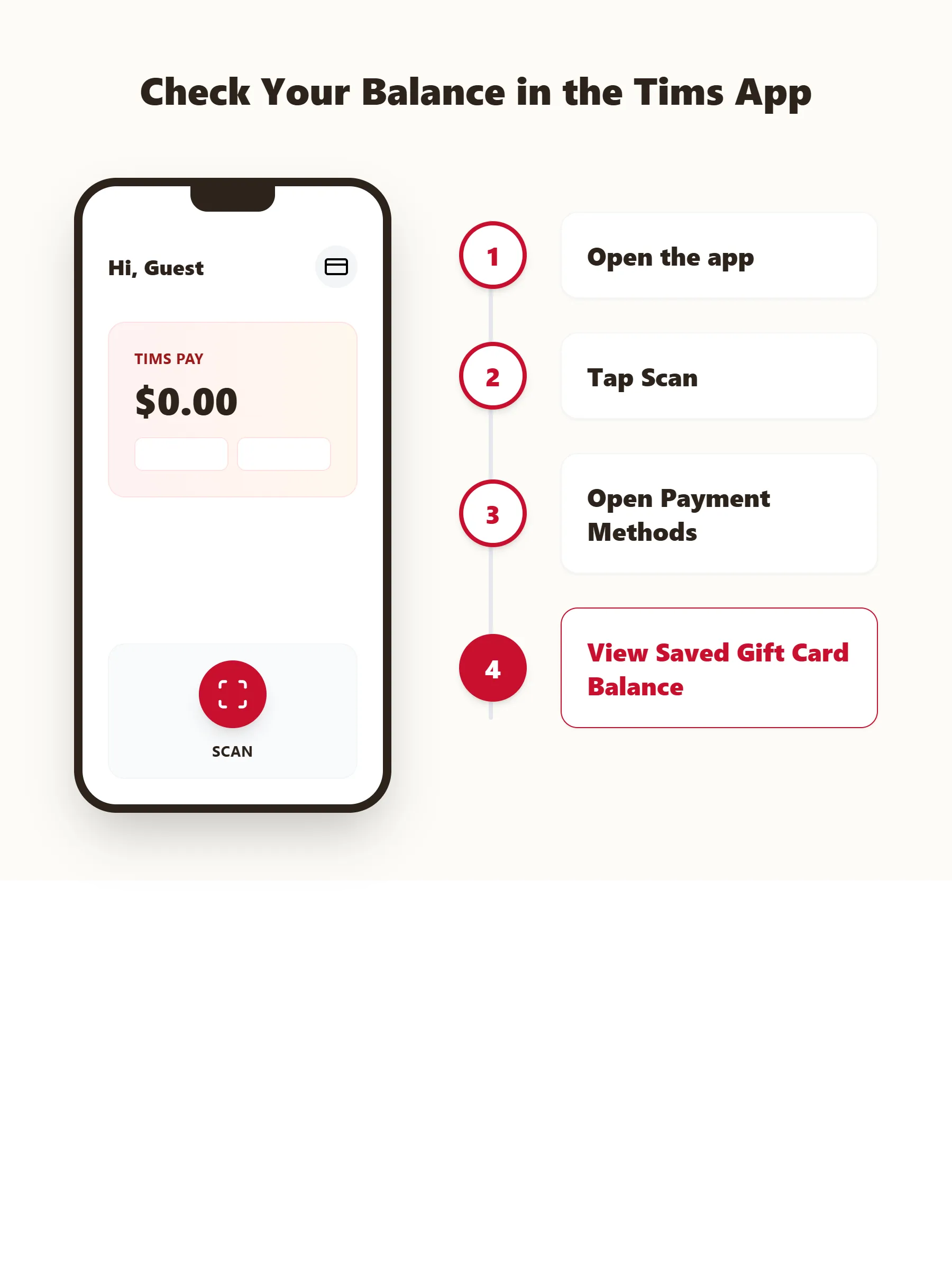
Open the App
Launch the Tim Hortons mobile app on your iPhone or Android device and log in.
Go to Scan
Tap the "Scan" icon at the bottom of the screen.
Tap the Icon
Tap the Payment Methods icon in the top-right corner.
Look Saved Methods
Look under Saved Payment Methods.
View Your Balance
Look at your Tims Gift Card or Tims Pay balance displayed right at the top of the payment screen.
Pro Tip
Check that you are signed into the same account used when adding the card. A different account may show no stored gift card, even when the card remains active.
Balance Not Showing?
If your balance does not appear, close and reopen the app. You should also check your internet connection and install any available app update.
Check Balance Online in Canada
People often search for a Tim Hortons gift card online check balance Canada tool. However, Tim Hortons does not currently direct unlinked cardholders toward a simple public balance checker.
If you're in Canada and don't want to use the app, you can register your physical Tims Gift Card at the official Tim Card portal using your 16-digit card number and the PIN from the back. Once it's registered, you can log back in any time to see the balance, without needing your card in hand.
Is There an Official Tim Hortons Gift Card Balance Checker?
Yes. The only official balance checkers are the Tim Hortons website, the mobile app, and the automated phone line. Don't use third-party websites that promise to check your balance. They are often scams designed to steal your card number and PIN.
Always double-check the URL in your browser to make sure it says timhortons.ca or timhortons.com.
⚠️ Security Warning
Check Balance by Phone
The official Tim Hortons gift card balance phone number is:
Official Tim Hortons Gift Card Balance Phone Number
1-866-TIMCARD
1-866-846-2273
If you're driving or just don't want to deal with typing numbers on a small screen, you can call the automated gift card hotline. It's available 24/7 and walks you through the process.
Keep Your Card Handy
Keep your card handy because you'll need to punch in the long number using your keypad.
Steps to Check by Phone
Call the Number
Dial 1-866-TIMCARD (1-866-846-2273).
Follow the Prompts
Press the correct number for the balance inquiry option (usually option 1).
Enter Details
Use your phone's keypad to enter the 16-digit card number, followed by the PIN when prompted. The automated voice will read your balance.
Check Balance In-Store
You can always do it the old-fashioned way. Next time you're picking up Timbits, just ask the cashier to scan your card before you place your order. They can tell you exactly how much is left on it. If there isn't enough to cover your whole order, you can pay the difference with cash, debit, or credit.
When you pay with the card, the purchase amount is deducted from your available funds. The updated balance can appear on the card reader, and you can request a printed receipt showing the remaining amount.
Keep Your Receipt
Keeping your latest receipt is helpful when your Tims card balance later appears different than expected.
What You Need to Check Your Tims Card Balance
To access your funds, you need two pieces of information: the card number and the PIN. Think of it like a bank account number and a password. Without both, you can't verify the balance.
Find the Gift Card Number
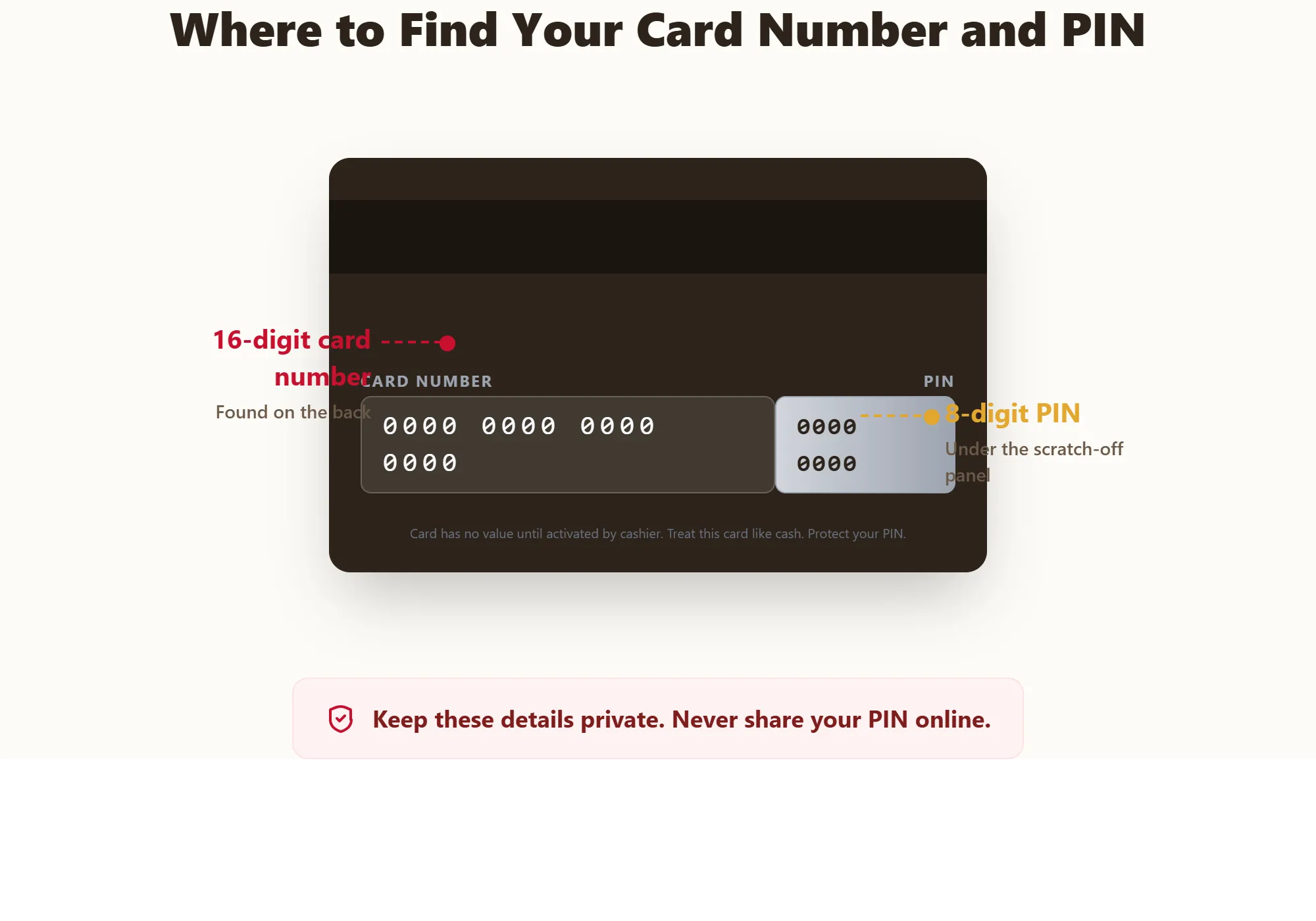
The gift card number is exactly 16 digits long. It's printed on the back of the physical card, usually grouped in sets of four (e.g., 6044 1234 5678 9012).
If you have an eGift card, the 16-digit number will be right in the email or digital receipt you received.
Find the Gift Card PIN
The PIN is your security code. It's an 8-digit number that proves you physically have the card. On physical cards, it's hidden under a silver scratch-off panel located to the right or just beneath the card number.
Use a coin to gently scratch it off. Don't use a key or anything sharp, or you might scratch the numbers off completely.
Digital PINs
If you received an eGift card, the 8-digit PIN will be clearly visible in the email alongside the card number. No scratching required!
Check Balance Without a PIN
What happens if you accidentally scratch off the PIN, or the card is so old the panel rubbed off? You unfortunately cannot check the balance online or add it to the app without the PIN.
However, you can still use the physical card at the restaurant. The cashier only needs to swipe the magnetic stripe or scan the barcode. If the card won't scan and the PIN is destroyed, call 1-866-TIMCARD for help.
How to Activate, Register or Link a Tim Hortons Gift Card
Activation, registration and app linking are different processes.
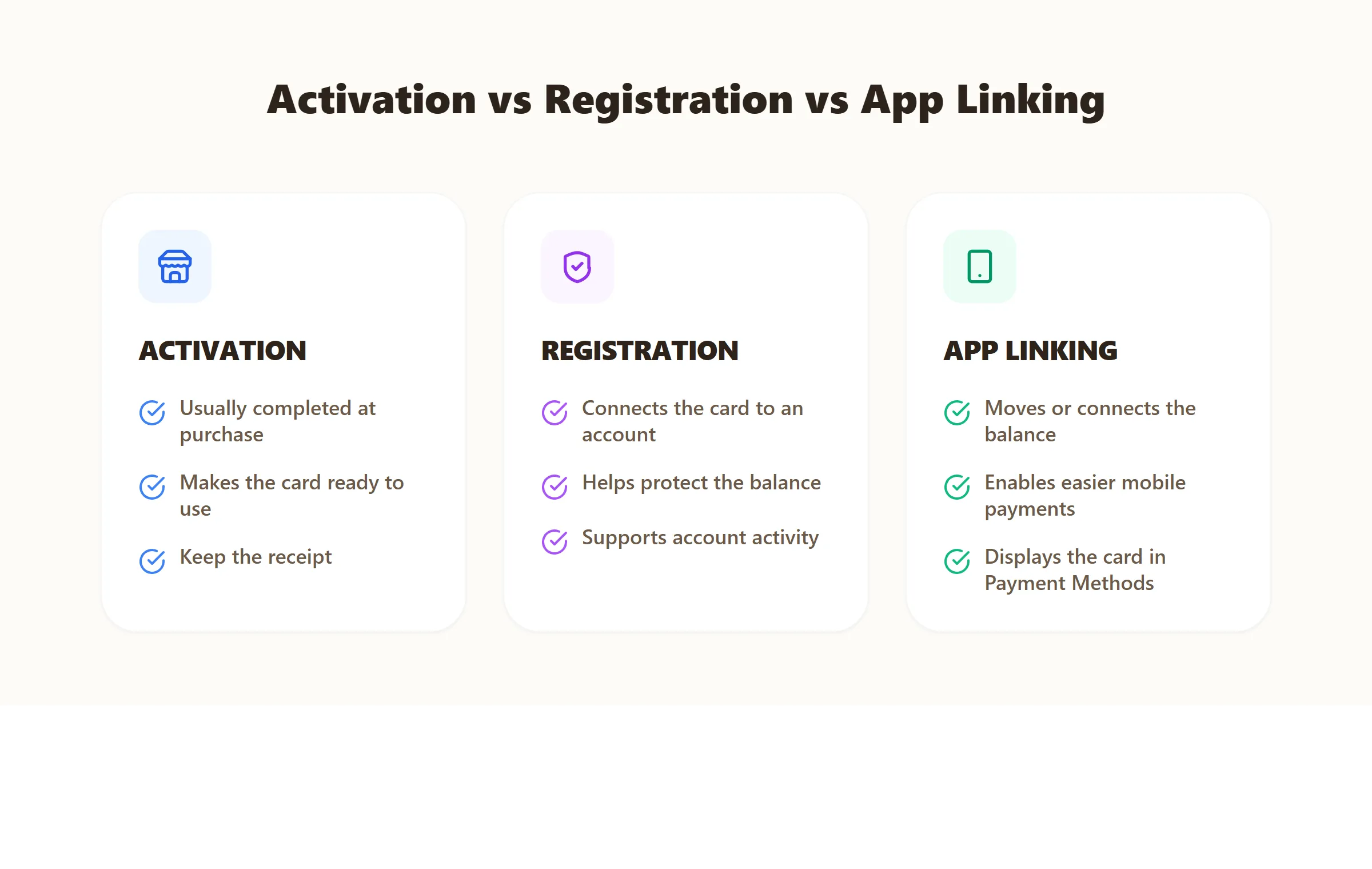
Activation
Prepares a newly purchased card for use.
Registration
Connects the card with your information through the Tim Card website.
App Linking
Moves the card balance into the digital gift card connected to your Tim Hortons account.
Does a Gift Card Need Activation?
It depends on where you got it. If you bought a card directly from a Tim Hortons cashier, it is activated the moment they load money onto it. You can use it right away.
If you bought it from a grocery store rack, the cashier at that store activated it when you checked out. If it was bought online, it comes ready to use.
How to Activate a Tim Hortons Gift Card
Most of the time, activation happens automatically at the point of sale. If you receive a bulk order of cards from a corporate event, the sender might provide a specific web link or instructions to activate them for security reasons. Otherwise, they are ready to swipe.
How to Confirm Activation
The easiest way to confirm your card is active and ready to go is to do a quick balance check online. If the system shows your balance, the card is active.
Not Activated?
If you get an error saying the card is invalid or has a zero balance, it might not have been activated properly by the cashier.
How to Register a Tim Hortons Gift Card Online
Tim Hortons allows physical cards to be registered through the official Tim Card or Tims Gift Card website. Registration can protect the remaining balance against loss and theft. It also supports credit-card reloads and recent account activity.
To register your card:
- 1Open the official Tim Card website.
- 2Sign in or create an account.
- 3Enter the required gift card information.
- 4Provide the card number and PIN.
- 5Review the card details carefully.
- 6Complete the registration process.
Registration Recommended
Registration is strongly recommended for cards carrying a meaningful balance. An unregistered lost or stolen card cannot have its remaining balance replaced under Tim Hortons' current guidance.
How to Add a Tim Gift Card to the App
- 1Open the Tim Hortons app.
- 2Select Scan from the bottom menu.
- 3Tap the Payment Methods icon.
- 4Choose Load Tims Gift Card.
- 5Select Have another gift card?
- 6Follow the onscreen instructions.
This process transfers the physical card balance into the Tims Gift Card stored within your app account.
After completing the transfer, return to Saved Payment Methods and confirm that the expected amount appears.
Activation Not Working
If you just bought a card and it says it's invalid, give it about an hour. Sometimes there is a slight delay between the grocery store's system and Tim Hortons' servers. If it still doesn't work the next day, you need to go back to the store where you bought it with your receipt.
How to Transfer or Combine Tim Hortons Gift Card Balances
Nobody likes carrying around five different gift cards with $2.50 on each of them. Thankfully, Tim Hortons makes it easy to pool your money together.
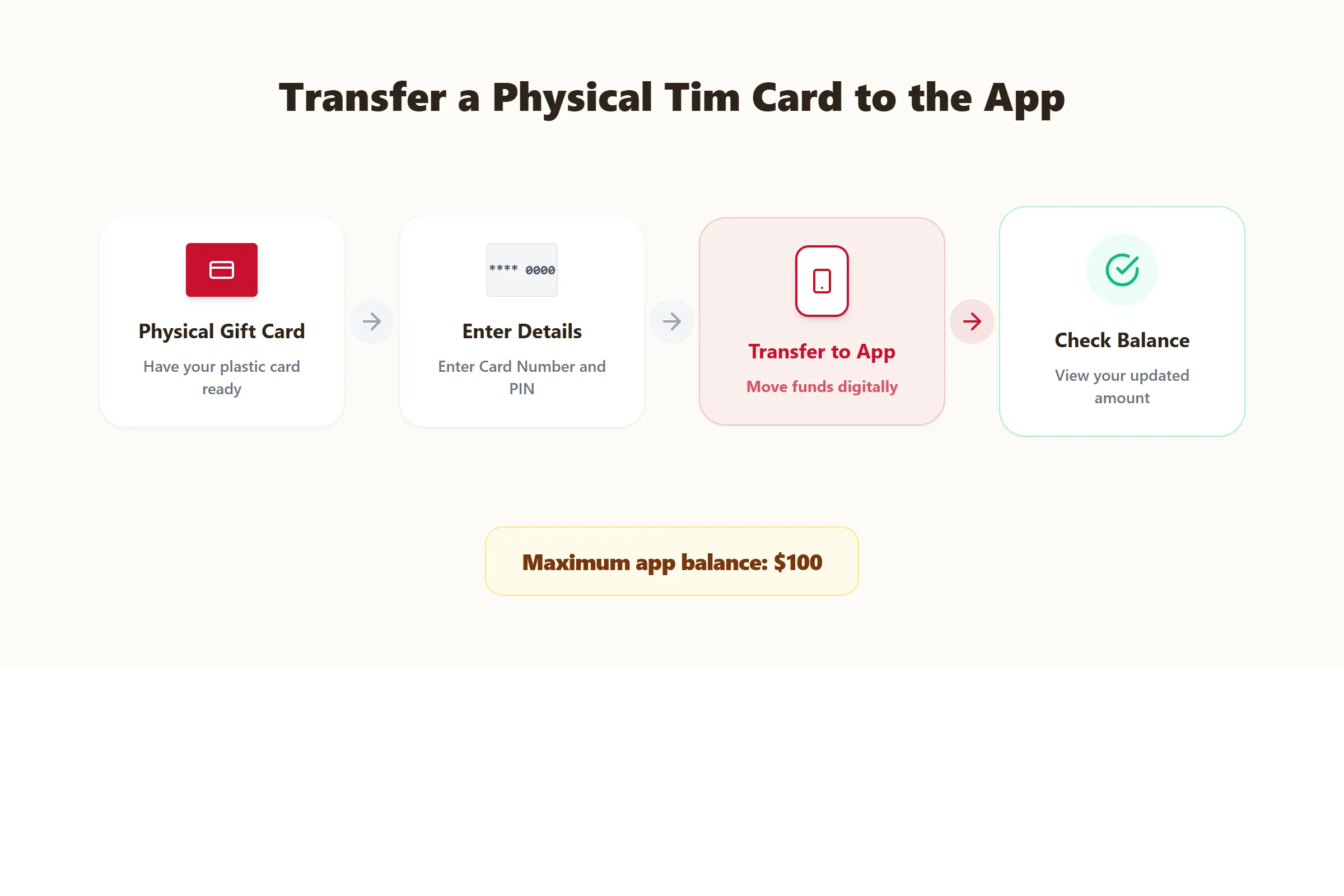
Transfer a Physical Card to the App
As mentioned above, you can transfer the entire balance of a physical card directly into your Tim Hortons app balance. Once you do this, the physical plastic card becomes empty.
You cannot move money from the app back onto a physical card. It's a one-way street.
Combine Multiple Gift Cards
If you have several physical cards, you can't combine them directly on the website into one super-card. But you CAN combine them in the app.
Just keep transferring each card's balance into your app account, one by one. Your total app balance will increase with every card you add, up to the maximum limit of $100.
Balance Transfer Not Working
If you try to transfer a card and get an error, it's usually because your app balance would exceed the $100 maximum limit. For example, if you have $80 in the app and try to transfer a $50 gift card, it will fail.
Fix
Spend some of your app balance first, or just keep the physical card until your app balance drops low enough to accept the transfer.
How to Reload a Tim Hortons Gift Card
Running low on funds? You can top up your card at any time. It's much easier than buying a new one every time you want coffee.
Follow these steps:
- 1Open the Tim Hortons app.
- 2Select the Scan tab.
- 3Tap the Payment Methods icon.
- 4Choose Load Tims Gift Card.
- 5Select the amount you want to add.
- 6Choose your payment method.
- 7Confirm the reload.
Check the balance after completing the payment. Avoid submitting the reload repeatedly when the first attempt appears delayed.
Reload a Physical Card
If you prefer keeping a plastic card in your wallet, you can reload it by handing your plastic gift card to the cashier at any Tim Hortons and ask them to add money to it. You can pay them with cash, debit, or credit, and they will load the funds right onto the card.
Set Up Automatic Reload
Auto-reload can add money at a selected time or whenever the balance falls below a chosen level.
For example, you could:
- Add $25 once each month.
- Add $25 whenever the balance reaches $5.
- Choose another available amount and schedule.
The saved payment method is charged whenever the selected auto-reload condition is triggered.
Tim Hortons says auto-reload can be managed through the Tim Card website or by calling 1-866-TIMCARD.
Payment Method
Review your saved payment method regularly. An expired or replaced bank card may cause automatic reloads to fail.
Minimum and Maximum Balance
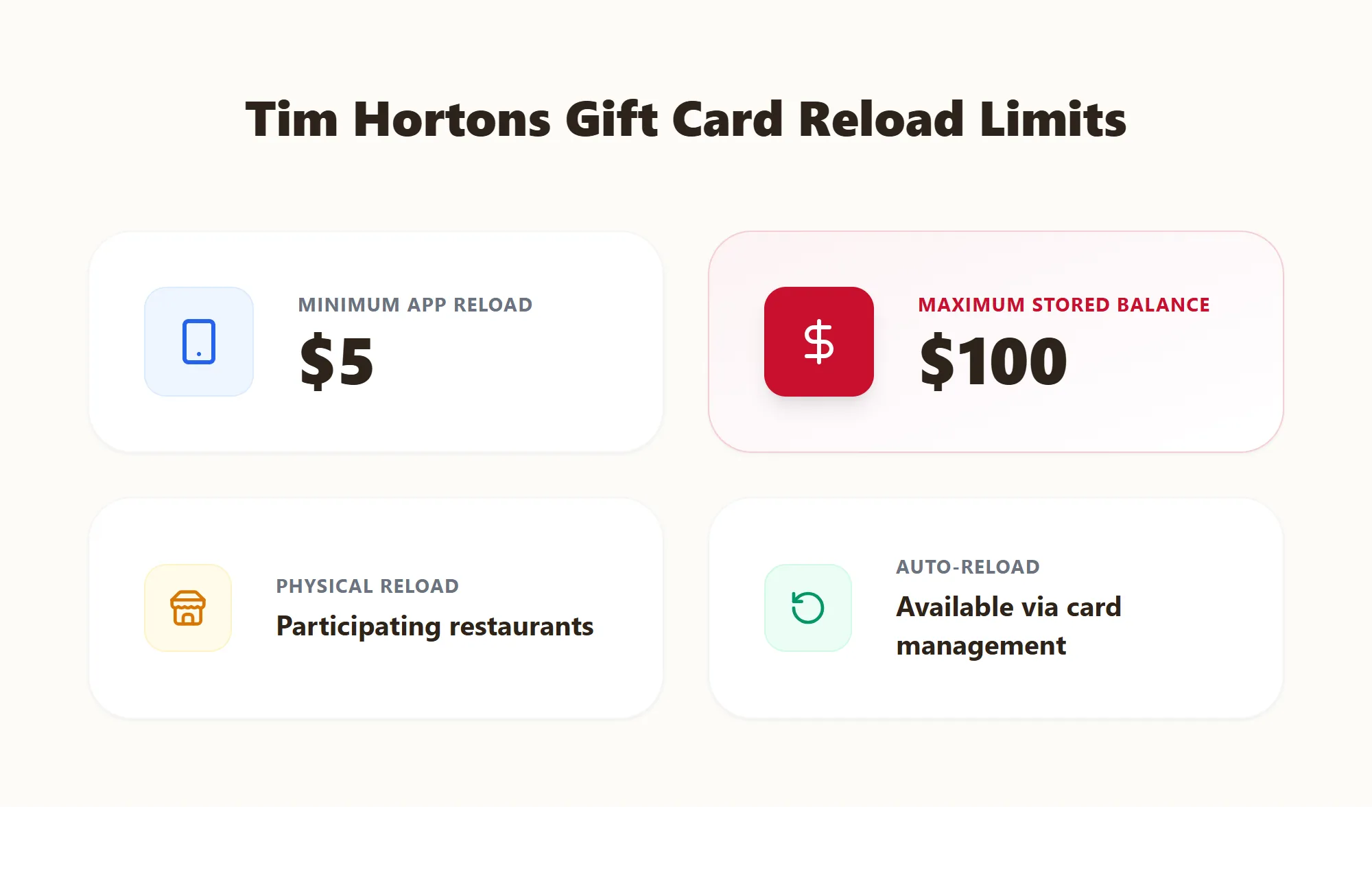
Min Reload (App)
$5
Max Balance
$100
Credit Card Weekly Limit
$50/week
Where to Buy Tim Hortons Gift Cards
Need a quick gift for a teacher, coworker, or friend? Tims cards are basically a universal currency in Canada. Here is where you can grab them.
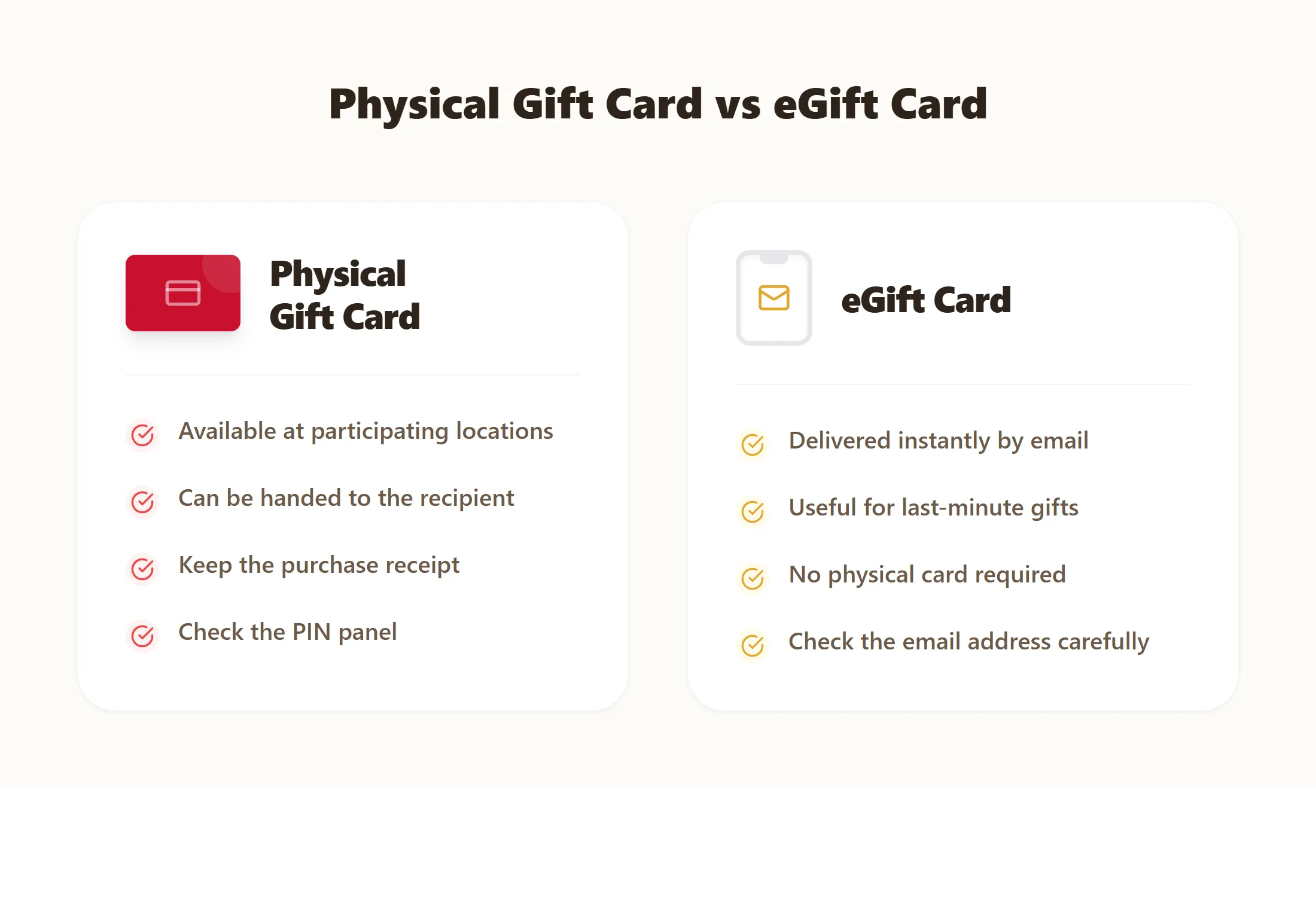
Buy a Physical Gift Card
You can buy plastic gift cards at any Tim Hortons restaurant counter or drive-thru. They are also sold on the gift card racks at major grocery stores, gas stations, and pharmacies.
Before You Pay
Retailer availability can change. Check the PIN panel before paying and keep your receipt after purchase.
Buy a Tim Hortons eGift Card Online
If you forgot a birthday and need a gift right this second, buy an eGift card on the official website or a trusted site like Giftcards.ca.
You can send it instantly via email, or schedule it to arrive on a specific date. You can even add a custom message.
Does Tim Hortons Have $5 or $10 Gift Cards?
Yes. If you buy a card at a Tim Hortons register, you can ask the cashier to load it with just $5 or $10. For online eGift cards, the minimum is typically $10. Grocery stores also frequently sell multi-packs that contain two or three $10 cards.
Can You Choose a Custom Gift Card Amount?
You aren't stuck with just $25 or $50 options. In-store, you can load any custom amount you want, right down to the cent, as long as it's under the $100 maximum.
Tim Hortons Gift Card Policies You Should Know
Do Tim Hortons Gift Cards Expire?
No. Your card will never expire. If you find an old Tim Card in a winter coat from four years ago, the money is still valid and ready to spend.
Use a Card With a Low Balance
If your coffee costs $2.50 but your gift card only has $1.00 on it, you can still use it. The cashier will drain the $1.00 from the card, and you just pay the remaining $1.50 with cash or a debit card. The app handles these split payments easily on mobile orders as well.
Cash Back and Refund Rules
All gift card sales are final. You cannot return a gift card for a refund, and you cannot cash it out, except in specific states or provinces where consumer protection laws require businesses to pay out low gift card balances.
Gift Card Fees
Tim Hortons does not charge any fees. There are no setup fees, no monthly maintenance fees, and no penalties if you don't use the card for a year. Every dollar goes entirely toward your food and drinks.
Tim Hortons Gift Card Balance Is Wrong
It's frustrating when you think you have $20 and the cashier tells you it's empty. If your balance seems wrong, here is how to investigate.
Check Recent Transactions
If you have your card linked to the app, you can easily view your transaction history. It will show exactly when and where the money was spent. Nine times out of ten, a forgotten mobile order is the culprit.
Request Transaction History
If you don't use the app and have an unregistered physical card, it's harder. You will need to call 1-866-TIMCARD and speak to a representative. Give them the card number, and they can read off the last few places the card was used.
Unexpected Balance Changes
If you see a charge you definitely didn't make, someone else might have your card details. If you suspect fraud, call customer service immediately to freeze the card. If it was registered, they can usually issue you a replacement with the remaining funds.
Gift Card Refund Timing
If an in-store order got messed up and the manager refunded your gift card, the money isn't always instant. Give it 24 to 48 hours to show back up in your balance.
Tim Hortons Gift Card Not Working: Common Issues and Fixes
Most problems involve card details, account currency, balance limits, activation or app settings.
Balance Not Showing
If your app suddenly shows a $0.00 balance when you know you have money, it is almost always an app glitch. Log out of your account and log back in, or delete the app and reinstall it. This forces the app to refresh your data from the server.
Invalid Number or PIN
If the website says your numbers are invalid, type them again carefully. Make sure there are no accidental spaces. Look closely at the scratch-off area, because letters and numbers often look similar (like an 'O' versus a '0').
Card Was Not Activated
If a cashier swipes your brand-new physical card and the system rejects it, it wasn't activated right at the store. Take it back to the retailer where you bought it with your receipt to fix the error.
Physical Card Declined
Magnetic strips get scratched and worn out easily. If the card won't swipe, ask the cashier to manually type the 16-digit number into the register. To permanently fix the headache, transfer that physical card to your mobile app so you never have to swipe it again.
Card Will Not Add to App
If you try to load a gift card into the app and get an error, check your app's current balance. If adding the new card pushes your total balance over $100, the system rejects it. Spend some of your current balance first.
Transfer Failed
If you tried to transfer a plastic card to the app and the transfer failed—but the physical card now says $0—don't panic. Wait about 15 minutes and close the app. If the money still doesn't appear, call 1-866-846-2273 so an agent can manually complete the transfer.
Reload Failed
The app limits credit card reloads to $50 over a 7-day period to stop credit card fraud. If your reload fails, you likely hit this weekly cap. Wait a few days or go to a physical store and reload the card with cash.
eGift Email Not Received
Digital gift cards sometimes get caught in spam filters. Have the person check their junk mail folder for an email from Tim Hortons. If they still can't find it, the person who bought it needs to contact customer support with the order number to resend the email.
Lost, Stolen or Damaged Gift Cards
Act quickly when a registered card disappears.
What to Do If Your Tim Card Is Lost or Stolen
Call 1-866-TIMCARD (1-866-846-2273) immediately.
You will need to provide the card number and answer questions about recent account activity. After verification, Tim Hortons may freeze and transfer the remaining balance of a registered card.
This is one reason to register a card before it is lost.
Can an Unregistered Gift Card Be Replaced?
No replacement is available for the remaining balance of an unregistered lost or stolen card under the current Tim Hortons guidance.
Keep your receipt and card number, but do not expect recovery to be guaranteed without registration.
What to Do With a Damaged Gift Card or PIN
Do not throw the card away.
Keep:
- The damaged card
- The purchase receipt
- Any readable card digits
- A clear private photograph
- Reload or purchase confirmations
Contact Guest Care when the card number, barcode, magnetic strip or PIN cannot be used.
Tim Hortons Gift Card vs Tims Rewards
It's easy to get these two confused because they both live in the same app, but they do completely different things.
Gift Card
Holds actual cash value. You use it to pay for your meal.
Tims Rewards
Holds points. You earn 10 points for every dollar you spend, and you use those points to get free stuff.
The best part is that they work together. When you pay with a gift card loaded in your app, you automatically earn Tims Rewards points in the same transaction.
Can You Earn Tims Rewards When Paying With a Gift Card?
Tim Hortons says you do not earn points when buying or reloading a Tims Gift Card. However, you can earn points when using the gift card to pay for eligible orders.
Make sure your Tims Rewards account is connected or scanned when ordering.
Can Rewards Points Be Transferred to a Gift Card?
No. Rewards points and gift card funds are separate.
Rewards points cannot normally be converted into Tim Card money. Likewise, reloading a card does not create a matching amount of Rewards points.
Tim Hortons Gift Card Balance in Canada and the USA
The program runs across both countries, and it's more connected than a lot of people expect.
Balance Check in Canada
The process is exactly the same whether you live in Toronto or Texas. Canadian users can check balances by app, website (through their account), or phone.
Do Canadian Gift Cards Work in the US?
Yes. If you buy a gift card in Canada, you can absolutely use it to pay for breakfast at a Tim Hortons in the United States.
Can US Gift Cards Work in Canada?
Yes, it goes both ways. American travelers can use their US-bought gift cards at any participating Tim Hortons inside Canada.
Currency Conversion
When you cross the border and pay with your card, the register automatically handles the exchange rate for that day. No extra transaction fees are added. Your receipt will show exactly how much was deducted in the local currency.
Tim Hortons Gift Card Safety Tips
Protect the card like cash.
Tim Hortons specifically recommends buying through participating restaurants or its official website and checking the PIN panel for tampering.
Frequently Asked Questions
How do I check my Tim Hortons gift card balance?
Check a linked card through Scan → Payment Methods → Saved Payment Methods in the Tim Hortons app. For an unlinked card, call 1-866-TIMCARD or visit a participating restaurant.
Can I check my Tim Card balance online?
You can register and manage a card through the official Tim Card website. For the clearest current balance check, Tim Hortons recommends the app, phone support or a participating restaurant.
What is the Tim Hortons gift card balance phone number?
Call 1-866-TIMCARD, which is 1-866-846-2273. Keep your physical card nearby when calling.
Is there a Tim Hortons gift card balance checker?
Tim Hortons provides balance-check options through the app, phone and participating restaurants. Avoid unofficial websites that ask for private card details.
How do I add a Tims gift card to the app?
Open the app, select Scan, open Payment Methods, choose Load Tims Gift Card, then select Have another gift card? and follow the instructions.
How do I activate a Tim Hortons gift card?
Tim Hortons does not list a separate customer activation page. A newly purchased card should be checked using the app, phone or restaurant. Return to the original seller with your receipt if it shows no funds.
Where can I buy a Tim Hortons gift card?
Buy one at a participating Tim Hortons restaurant, an authorized retailer or through the official Tim Hortons website. Physical and digital cards are available online.
Does Tim Hortons sell $5 gift cards?
Tim Hortons confirms a $5 minimum reload through the app. Fixed physical-card amounts may vary by restaurant or retailer.
Does Tim Hortons sell $10 gift cards?
A $10 amount may be available when custom loading is offered. Fixed denominations can vary, so confirm the available amount with the seller.
Do Tim Hortons gift cards expire?
No. Tims Gift Cards do not expire and can be reloaded with additional funds.
Can I combine multiple Tim Hortons gift cards?
Yes. Multiple balances can be transferred onto the one Tims Gift Card stored in the app. The total balance cannot exceed $100.
Can I transfer my Tim Card balance to the app?
Yes. Open Scan, select Payment Methods, choose Load Tims Gift Card, then select Have another gift card?
Can I check a Tim Hortons gift card without a PIN?
A linked card can be checked in the app. You can also call 1-866-TIMCARD or ask at a participating restaurant.
Can Canadian Tim Hortons gift cards work in the US?
Yes. Canadian and US Tims Gift Cards can be used at participating restaurants across both countries. The purchase is converted into the local currency.
Why is my Tim Hortons gift card not working?
Check the balance, 16-digit card number, PIN, card currency and $100 app limit. Contact Guest Care when the problem continues.
Can a lost Tim Hortons gift card be replaced?
A registered card's remaining balance may be frozen and transferred after verification. The remaining balance on an unregistered lost card cannot be replaced.
Can I earn Tims Rewards when using a gift card?
You do not earn points when buying or reloading the card. You can earn points when using it to pay for eligible purchases.
Are there fees on a Tim Hortons gift card?
Tim Hortons states that no fees are charged to the gift card.
Can I get cash from my remaining Tim Card balance?
Cash-out availability depends on local law. Certain Canadian and US jurisdictions allow cash redemption when the remaining balance is below a specified amount.
Official Tim Hortons Gift Card Resources
For the latest information, use these official resources: